A small part that carries the weight of the shift
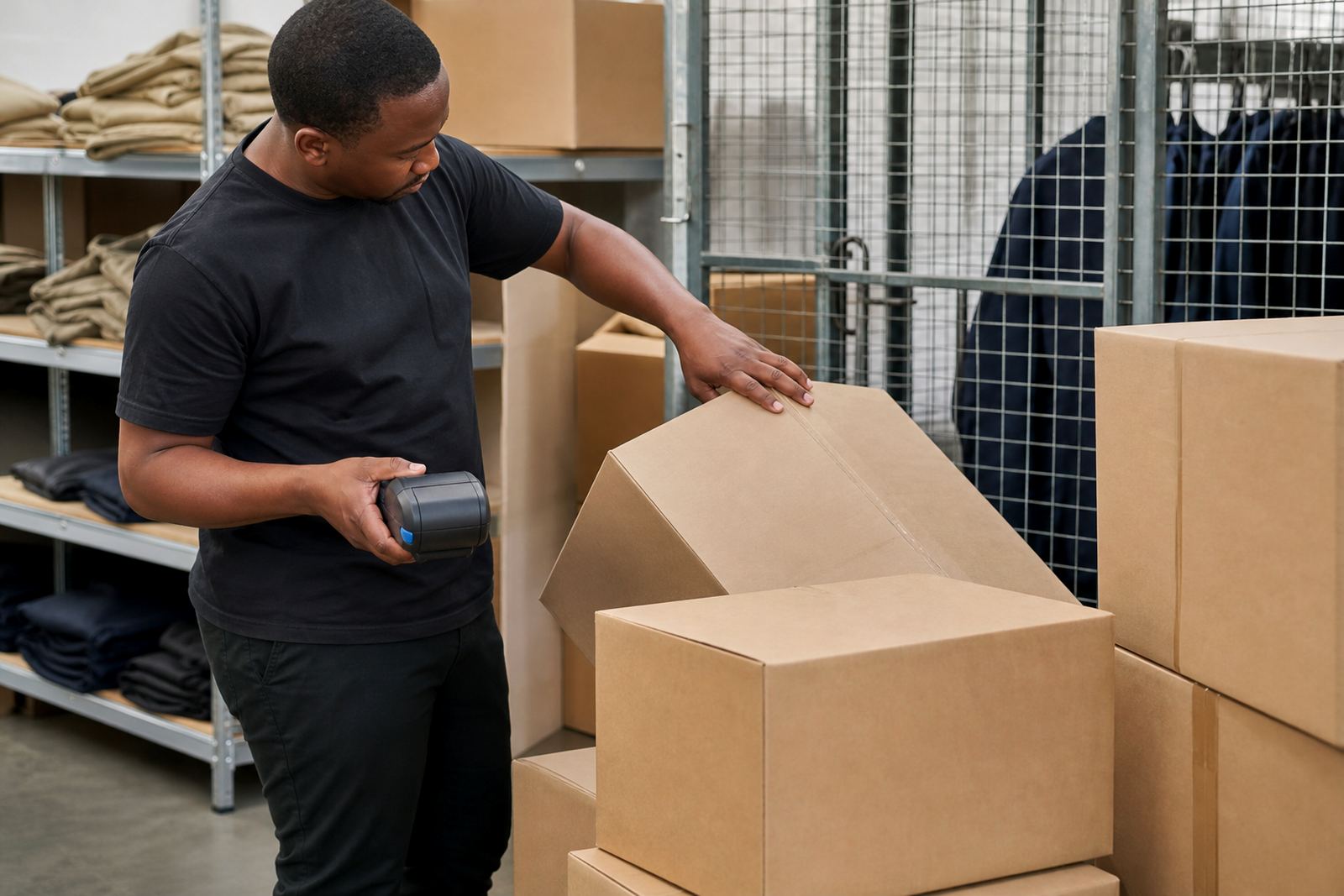
This replacement carry clip is made for mobile label printers that need to ride on a belt, waistband or utility trouser. It is a practical part for warehouse teams, courier drivers and retail stockroom staff who move between shelves, cages and receiving bays with the printer on hand.
The clip sits on the printer housing and gives the operator a stable way to carry the unit while labels are being printed on the move. In daily use, that means less awkward holding of the printer and less risk of setting it down where it can get knocked or misplaced.
- Helps restore hands-free carry after clip wear or damage
- Keeps the printer within easy reach at the waist
- Suitable for repeated pull-on and pull-off use during a shift
Clip styles, fit and mounting points
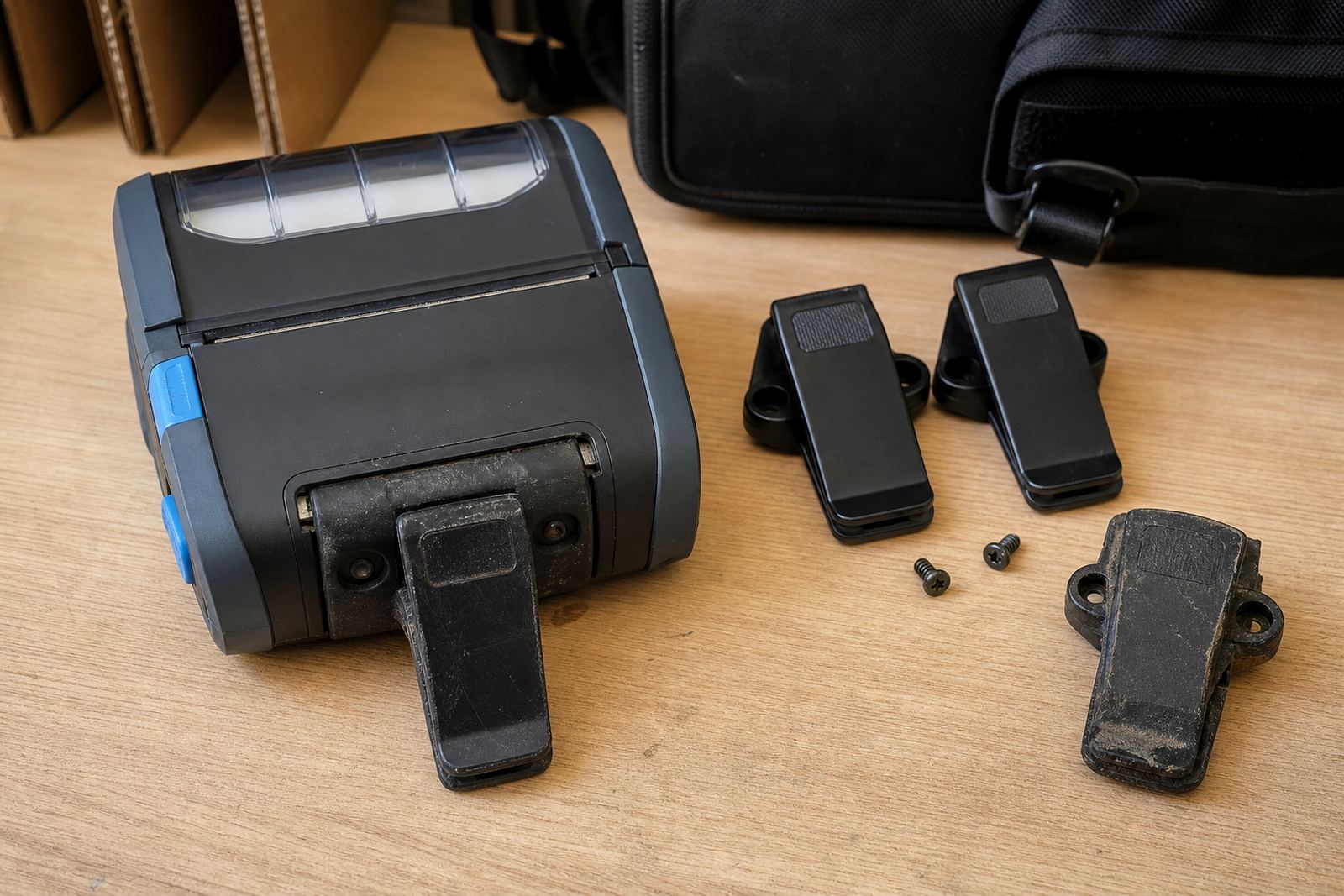
Replacement clips are usually matched to the printer casing shape and the screw or slot positions on the back or side of the unit. Some clips sit flat against the printer, while others have a slight stand-off shape to clear a battery pack or belt loop.
When fitting, the important detail is the printer model and the mounting layout. A clip that looks similar can still sit at the wrong angle or leave the unit loose on the body. We check the clip pattern, screw spacing and the way the printer hangs once fitted.
- Rigid clip bodies for steady carry
- Spring tension or fixed-grip styles, depending on the printer design
- Mounting holes or slot pattern matched to the housing
Where this part suits the work day
This is the kind of part that earns its keep in a stockroom, on a picking route or at a goods-in counter. It is useful where the printer is worn all day and pulled off the belt often for labels, barcodes and shelf marking.
Courier teams also use belt carry when they need to print and apply labels at a loading bay, in a vehicle yard or at a customer handover point. In retail, a secure clip helps when staff are checking backroom stock, ticketing shelves or printing item labels near the floor level.
- Warehouse picking and put-away routes
- Courier manifest and parcel labelling
- Retail stockroom marking and label application
Fitting, repair and adjustment notes
Installing a replacement belt clip is straightforward on many mobile printers, but the fixing method must be checked before tightening. Some units use small screws, others use a bracket that slides into a track or locates under a cover.
When a clip has broken off, the mounting area should be checked for stripped threads, cracked plastic or bent fixings. A loose screw can let the printer swing at the waist, while an uneven clip can make it tilt and rub against the body during the shift.
- Check screw length so the housing is not damaged
- Keep the clip aligned before final tightening
- Test the carry position with the printer loaded
Care that keeps the clip working properly
Dust, lint and label adhesive can work into the clip area, especially on printers used in busy stockrooms. A quick wipe with a dry cloth or a cloth lightly dampened with approved cleaning fluid helps keep the hinge or grip area free of grit.
If the clip is plastic, avoid forcing it past its natural opening range. If it is spring-loaded, check that the grip still closes firmly and does not wander open when clipped to a belt. After printhead cleaning or battery changes, it is worth checking that the clip still seats squarely.
- Wipe away dust before it packs into the mounting area
- Check for hairline cracks around the screw holes
- Replace the clip if the grip has gone soft or uneven
Details to confirm before ordering
The right replacement depends on the printer shape and how it carries on the body. A clip that suits a direct thermal unit may not match a thermal transfer printer if the casing or battery pack is different, so the model details matter.
It helps to confirm the mounting side, screw spacing, printer model, clip profile and whether the printer is worn on the left or right hip. If the unit has a thick battery pack or a belt loop adapter, that should be mentioned too so the clip can clear the full shape.
- Printer make and model
- Mounting hole spacing or slot layout
- Left or right side carry preference
- Battery pack shape and any add-on casing
Key facts
| Product | Replacement belt clip for a mobile label printer |
|---|---|
| Use case | Hands-free waist carry for warehouse, courier and retail stockroom work |
| Fit type | Model-specific mounting with screw or track fixing |
| Material | Durable moulded clip body with firm carry grip |
| Colour | Usually black |
| Compatability notes | Check printer model, hole spacing, battery pack and carry side |
| Service support | On-site fitting, belt clip repair and printer setup available |